
Enhanced Critical CSS Generation and Our New Critical CSS API
Our own, brand new Critical CSS Generator for faster and enhanced first contentful paints.
We rebuilt our Critical CSS Generation Engine
And it’s fantastic. See why we’re excited.
What Critical CSS is (and why it matters)
Critical CSS is the smallest set of CSS required to render the content a user sees immediately (above the fold).
Instead of forcing the browser to download and parse your entire stylesheet before showing the page, Critical CSS gets the visible UI rendered fast, then loads the remaining CSS afterward.
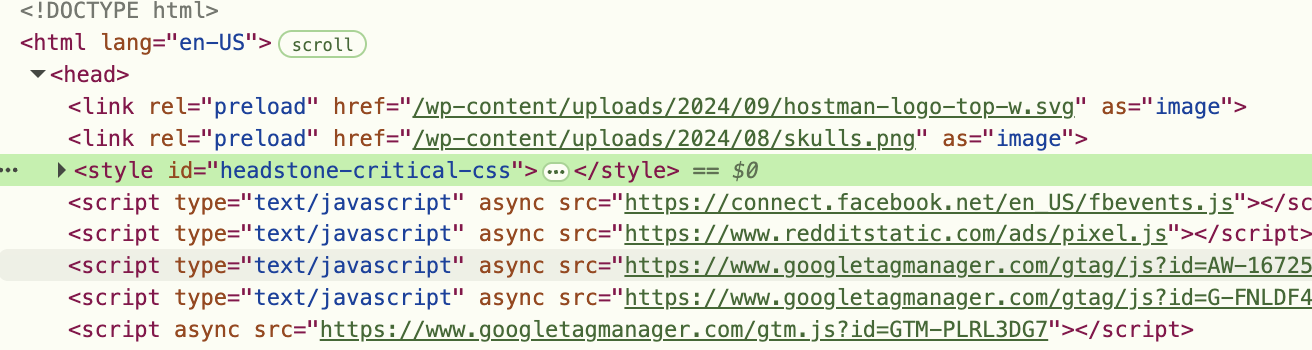
It lives in the head, as high as possible, like so:
Why It’s Important
- Faster first render: the browser can paint the page without waiting on full CSS payloads.
- Better Core Web Vitals: quicker rendering reduces perceived load time and improves performance signals.
- More reliable UX: fewer layout jumps and less “blank page” time while assets load.
Why we ditched the third-party vendor
We originally used an external Critical CSS provider integrated into our calls. On paper, it checked the box. In reality, it introduced a bottleneck we couldn’t accept: conversion delays.
Like all of our Static Performance Features, we run Critical CSS generation during a conversion from WordPress to Static. When Critical CSS wasn’t present during a push it introduced — in extreme cases — a 10-20s delay per page.
So we removed it and built our own, which on a full site push only introduces on average an extra second or two if your site has no Critical CSS present at all.
Our new engine runs on infrastructure we control, with behavior we can tune, debug, and evolve without waiting or reliance on a third party.
Built for Better Critical CSS Generation
Our gripes with our third-party weren’t just limited to unreliable and delayed generation. We noticed a series of discrepancies properly collecting the actual above-the-fold styles.
If you have familiarity with Chrome Dev Tools, here’s a fun test. Inspect Element, locate your primary stylesheet(s) and delete them. Then look at your above-the-fold. If it’s not 97% accurate, you’re wasting space in your head and are not really improving things.
Here’s an example from our own site with the old vs our own engine. The difference might not look that big on a quick glance, but we found it absolutely massive.
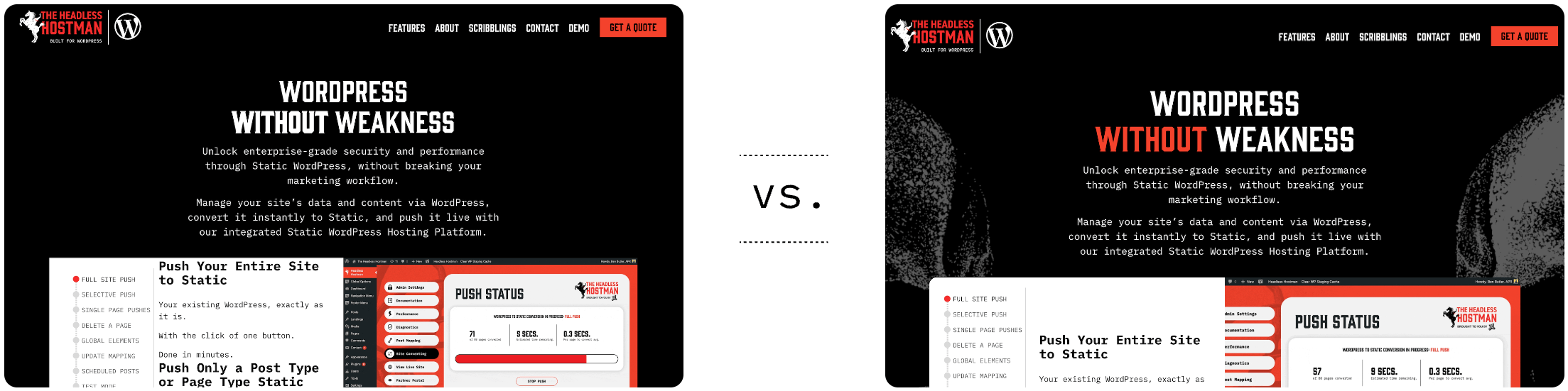
And other pages were even worse.
Why is this so important?
Because if you’re deferring stylesheets until page load (to reduce render blocking requests), you may experience some series layout shifts and flickers. That’s no bueno.
What we do differently
- Await page stability. We await all shifts to stop — either due to font loading, or style loading.
- Await script rendering, which could dramatically alter a layout if bypassed.
- Incorporate fonts and eliminate garbage like ::root styles (although future API versions will allow this to turn on if you need it).
- Scan mobile and desktop breakpoints to make sure it’s responsive Critical CSS.
And with all of these steps, we found the API responds faster than the third-party, consistently.
We utilize a warming mechanism and persistent emulator browser to keep things from cold firing.
Where it lives: Our Performance Center
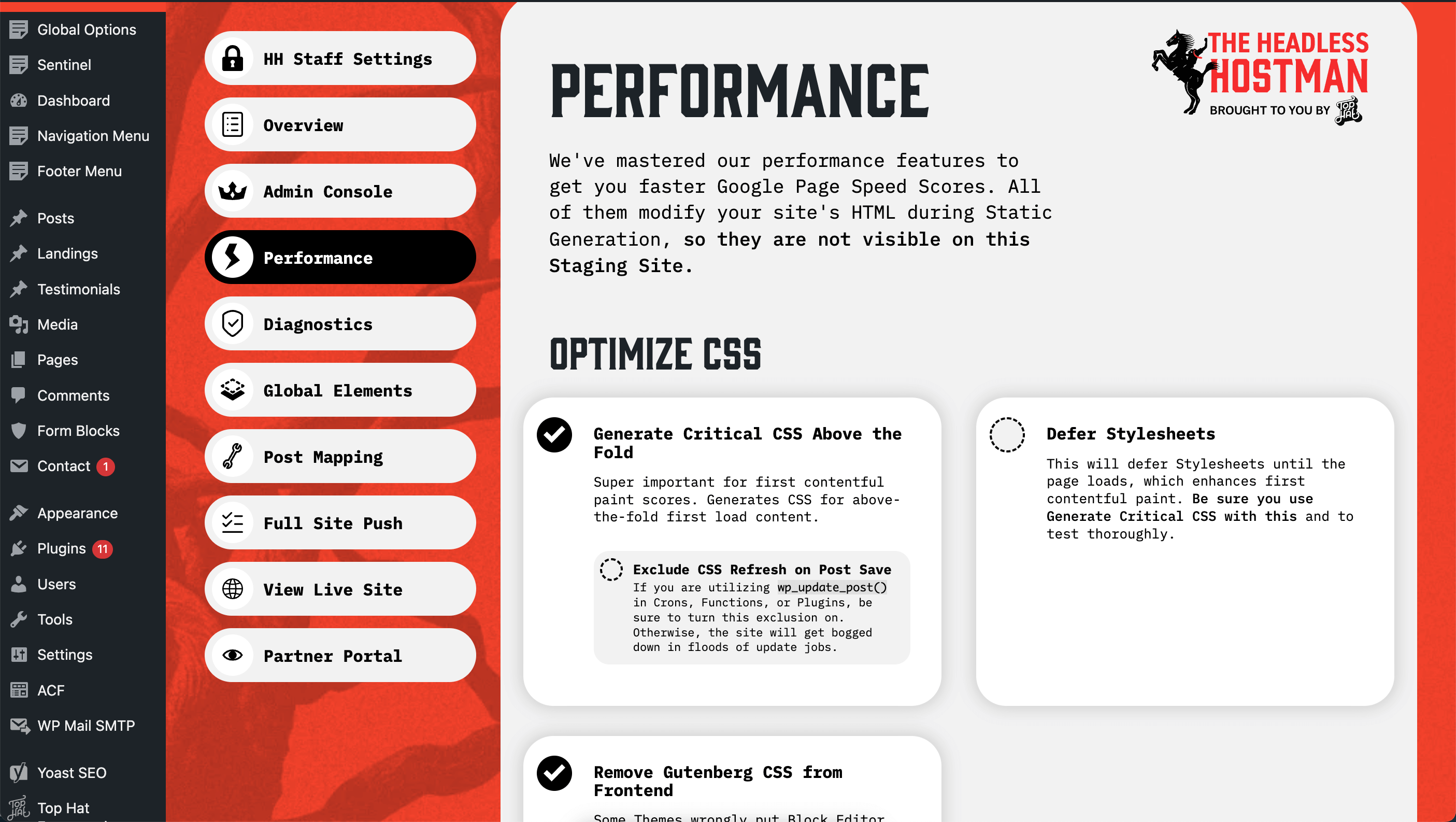
The new Critical CSS engine is available in the Headless Hostman Performance Center exactly where it was before: as a simple toggle.
Turn it on, and it’s applied as part of your performance toolkit.
How it applies to production pages
During Conversion
Again, Critical CSS generation happens only during static conversion on the fly.
That means:
- It runs at the moment a page is being converted to static output.
- It becomes part of the static artifact we publish.
- It does not add recurring runtime overhead on every page view.
You get the performance benefits in the final static output, without turning every request into a performance-processing pipeline.
View Before Going Live By Generating a Test
If you also render a test static page, it will be present.
We Also Keep It Up to Date
Anytime you hit the WordPress “update” button we recall the API to find page changes and refresh the page/post’s Critical CSS.
In case you need, you can also clear it manually from the site post meta, or you can clear it site wide as needed.
Headless Hostman Exceptions
If you’re utilizing a WordPress theme that already generates Critical CSS, you won’t be able to utilize ours to avoid conflicts.
Introducing a Critical CSS API for Sale — Even for Non Headless Hostman Customers
Want Critical CSS for Your Own Outside of Headless Hostman Projects? You Got It
We didn’t build this only for Headless Hostman conversions. The Critical CSS engine is also available as a standalone API and dashboard for your own development workflows outside of our primary platform.
We’re calling it HEADSTONE, because why wouldn’t we.
If you’re an existing Headless Hostman customer, contact us and we can get this added as a new item to your portal.
- This will just add a new tab to your Dashboard
For non-Headless Hostman customers, you and don’t need to use the Headless Hostman. You can purchase it instantly and easily here.
An Easy Dashboard for Whatever You Need
Directly within our partner portal, you have access to all of the tools.
Generate on Demand
Get instant CSS and a history log of your requests.
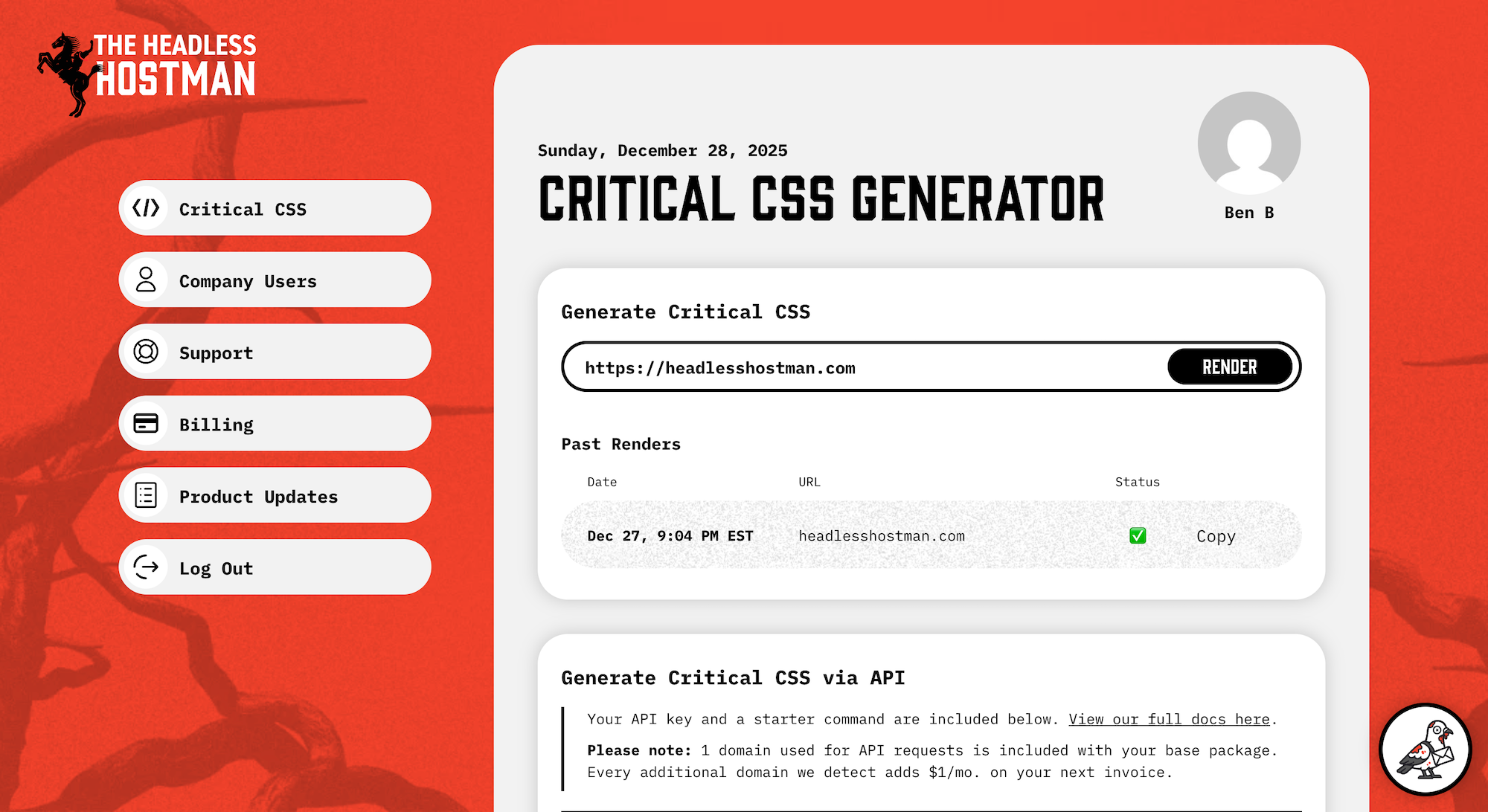
Critical CSS Generating API
Most notably, you can incorporate Critical CSS into any of your projects with a simple GET request.
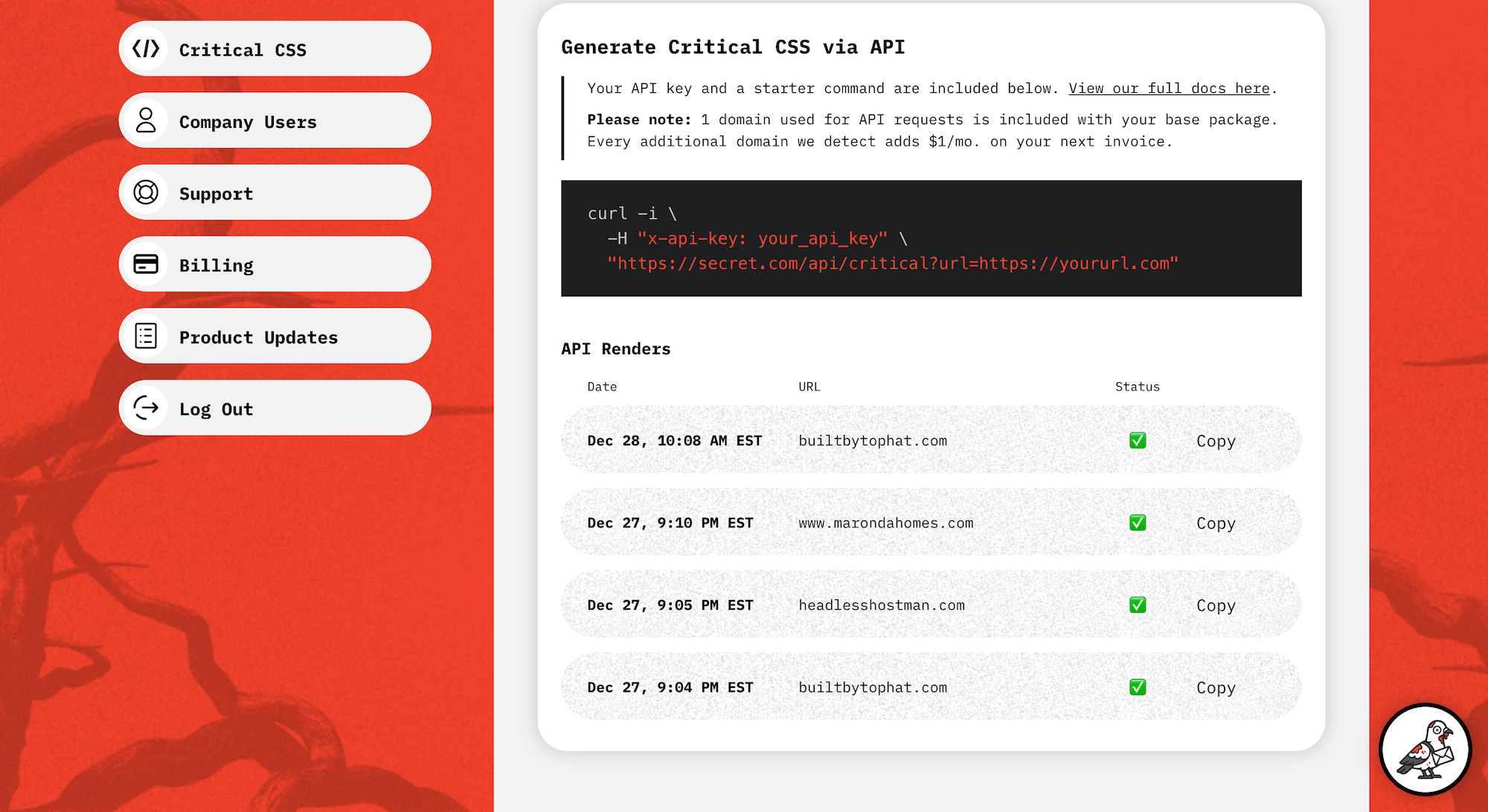
We include a sample code, and full docs, but honestly it’s pretty simple. You can request Critical CSS with any code base supporting POST, GET, or cURL style asks by passing your API key and the page you want.
API Finer Notes
Since we’re obviously development obsessed we built this for our own requirements:
- There is no polling required. It will return CSS when it’s done, usually within a few seconds. There’s no “started” vs. “done” state that you need to poll.
- It’s more thorough. As mentioned above, it’s set to be more accurate by waiting and incorporating more from the outset.
Whether you’re converting WordPress to static with Headless Hostman or building your own pipeline, you’re using the exact tool we trust in production.
Deeper into the Abyss

Cloudflare Pages 2,100 Redirect Limit? We’ve Solved It.
Infinite redirects in Cloudflare made possible by the leader in Static WordPress.

Introducing “Cache Everything:” Our Fastest Cloudflare CDN Integration Yet
Static WordPress made, yet, even faster through HTML caching on Cloudflare's CDN.

Static WordPress = Enterprise Level WordPress
Marketing wants WordPress. IT wants security. Make them both happy.
ready to get started?
Headless Hostman takes the best of both traditional CMS systems and other static host providers to create a site that is both easy to manage, fast, and secure.